 Capacity Planning
Capacity Planning Software
See workload the way it actually plays out, not the way it was budgeted
A Gantt-style team view lays workload out alongside your milestone schedule. Status badges come from what is actually scheduled and logged, holiday-adjusted, so a person budgeted at 100% but not yet scheduled on anything does not show as overloaded.
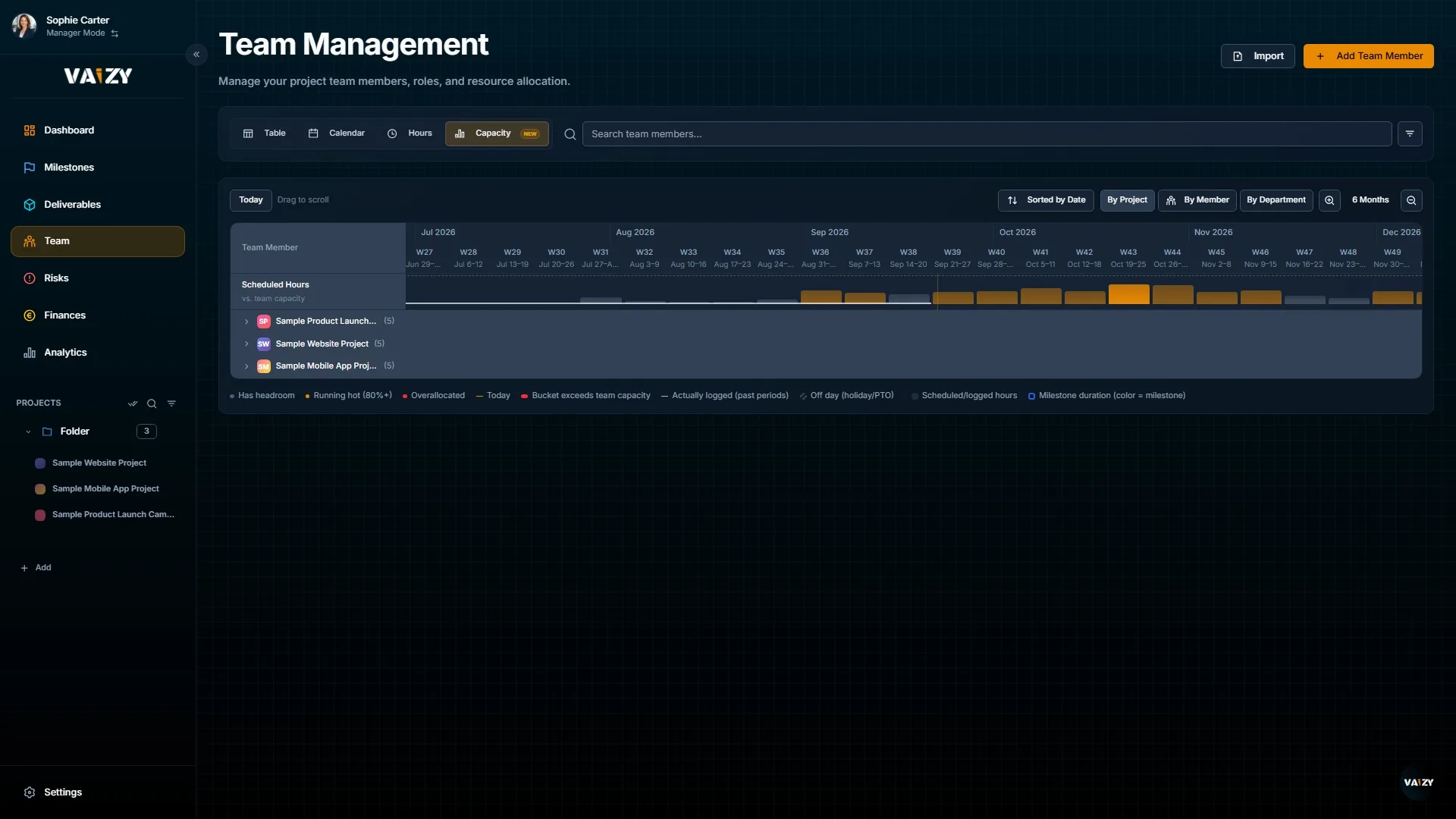
Most tools flag overload based on a role percentage set months ago. Vaizy checks it against what is actually scheduled and logged, day by day, so the warning you see is one worth acting on.
Team Gantt view
Every team member laid out on a timeline next to the milestones they are working on, so you see the schedule and the workload in one place.
A Gantt-style view of team workload laid out against the same timeline as your milestones.
Real-load status badges
On track, running hot, and overallocated are calculated from actual scheduled and logged hours against real day-by-day capacity, not a static role budget.
On track, running hot, and overallocated status driven by real scheduled and logged hours.
Holiday-adjusted availability
Public holidays and time off are factored into daily capacity automatically, so status badges reflect the days someone is actually available to work.
Holiday-adjusted daily capacity, so public holidays and time off are already accounted for.
Open the Capacity Planning view from a project to see the team laid out against the milestone timeline.
Check status badges to spot who is running hot or overallocated based on real scheduled and logged hours.
Rebalance assignments before an overload turns into a missed milestone, using the budget figure alongside it for cost context.
Catch overload before it costs you a milestone
A role that looks fully budgeted can still have nothing scheduled. Vaizy shows you the difference before it becomes a deadline problem.