See which projects move when one of them slips
The roadmap puts every project and milestone on one timeline. Link the projects that depend on each other, and Vaizy shows the chain that decides your end date and how far a late project pushes the ones after it.
A late project is rarely late on its own
When design runs two weeks over, the build starts two weeks later and the launch moves with it. In a spreadsheet you find that out one project at a time. On the roadmap you see it as soon as the first date moves.
Every project on one timeline
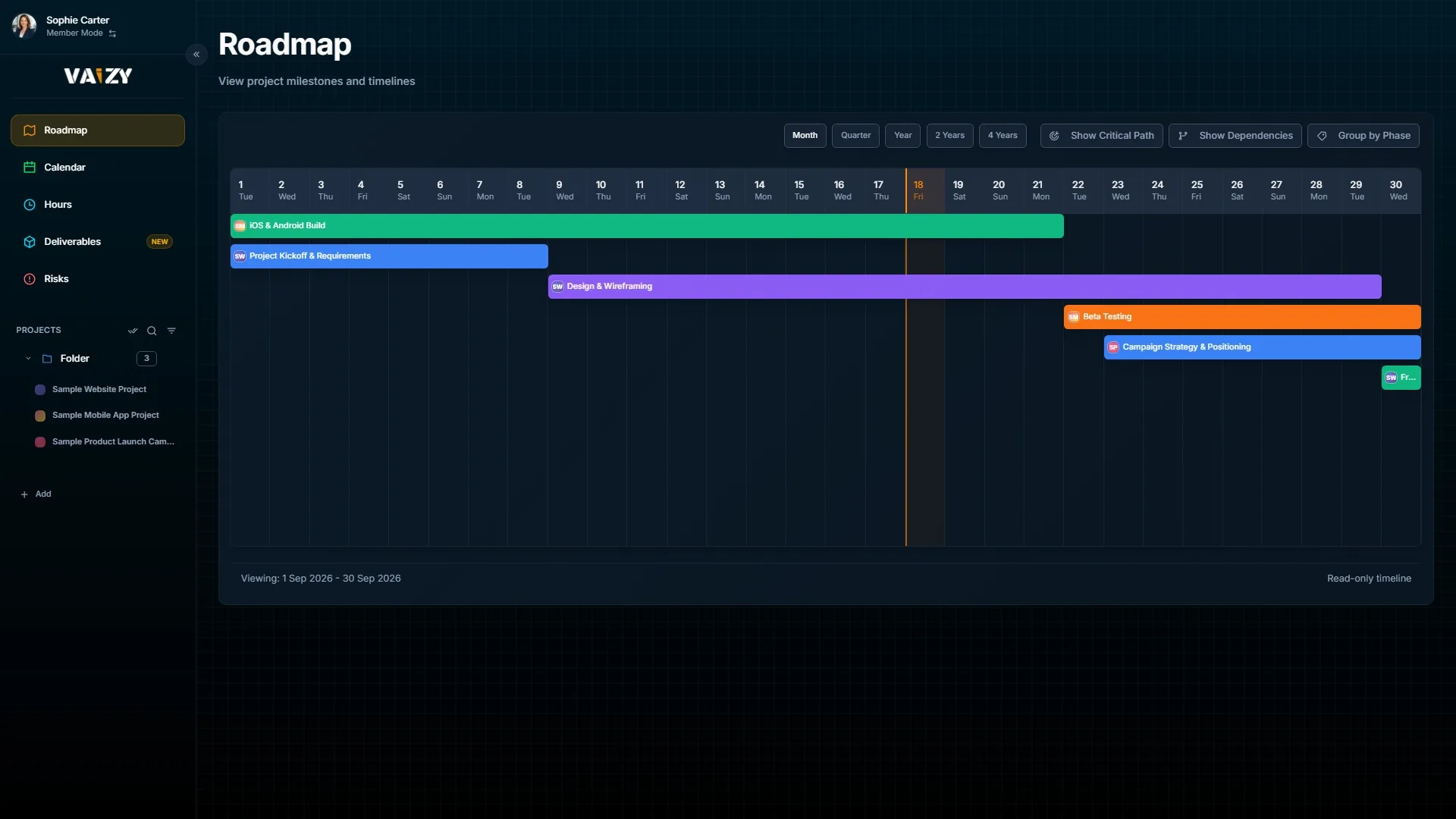
Switch between a month, a quarter, a year, two years or four years. Group projects by phase, or add the roadmap to your dashboard next to your other widgets.
All projects and milestones on one timeline, from a single month up to four years.
Links between projects
In the project form, link a project to the one it waits on and choose the type of link. The roadmap draws the connection, so you can see which project feeds which.
Link projects as finish to start, start to start, finish to finish or start to finish, with extra days in between when you need them.
The chain that sets your end date
Turn on the critical path and the roadmap highlights the projects with no room to spare. If one of them runs late, your last project finishes late too.
The critical path: the chain of projects that decides when the last one finishes.
Red, amber or green at a glance
Each project and milestone gets a status from its schedule and budget: on track, at risk or off track. You see drift without opening every project, and you get an alert when a status turns amber or red.
Red, amber or green per project and milestone, based on where the schedule and budget stand.
What if, before you commit
Ask Vaizy AI what happens if a project slips two weeks. It uses the same links and critical path as the roadmap, shows which projects move, and saves nothing.
A project that is forecast to finish late stays on the timeline with its slip, so you see how far it reaches.
Bring your links with you
Import a plan from Microsoft Project and its predecessors come across with their link type and lag, so you do not have to draw them again.
Ask Vaizy AI what a two week delay does to the rest of the portfolio. It reads the same links as the roadmap.
How it works
Open the Roadmap and pick the projects you want to see.
In the project form, link each project to the one it waits on.
Turn on Show Dependencies and Show Critical Path to see which chain sets your end date.
When a date moves, check which projects move with it and act before the end date slips.
Spot the delay before your client does
Link your projects once, and the roadmap shows what a late project means for everything after it.