Your monthly status report, made and sent for you
Vaizy sends a monthly PDF report for each project, or one report for the whole portfolio, made from the data your team already keeps up to date. In between, you get an alert when a milestone, risk or budget needs your attention.
Stop rebuilding the same report every month
A status report usually means copying numbers from five places into a slide deck, and they are out of date by the time anyone reads them. Vaizy makes the report from your current milestones, risks and budget, so it is right on the day it goes out.
A report per project, every month
Each project gets a PDF that looks like the app, with a cover page, status, a milestones timeline, risks and issues and the latest status remarks. Budget and forecast only appear for people allowed to see finances.
A monthly PDF per project with status, a milestones timeline, risks and issues, the latest status remarks and, for people allowed to see it, budget and forecast.
One report for the whole portfolio
Follow six or more projects and you get one monthly portfolio report: an overview, what changed since last month, then each project in detail. Anyone can switch to it in their settings.
People who follow six or more projects get one portfolio report instead of a pile of emails, as one PDF or one per folder.
Safe to forward
Reports name no staff: no team, lead, assignees, risk owners or remark authors. Managers choose who gets each project report, and every reader sees times in their own timezone.
Managers choose who receives each project report, and reports name no staff.
Any month, whenever you need it
Workspace owners, admins and managers can make a report from the Dashboard at any moment, or download any of the last 36 months from the report history.
Make a report from the Dashboard whenever you need one, or download any of the last 36 months.
An alert when the status changes colour
When a project or milestone on the roadmap crosses its red, amber or green limit, Vaizy sends an alert instead of only changing the badge.
An alert when a project or milestone crosses its red, amber or green limit.
The bell, your desktop and your inbox
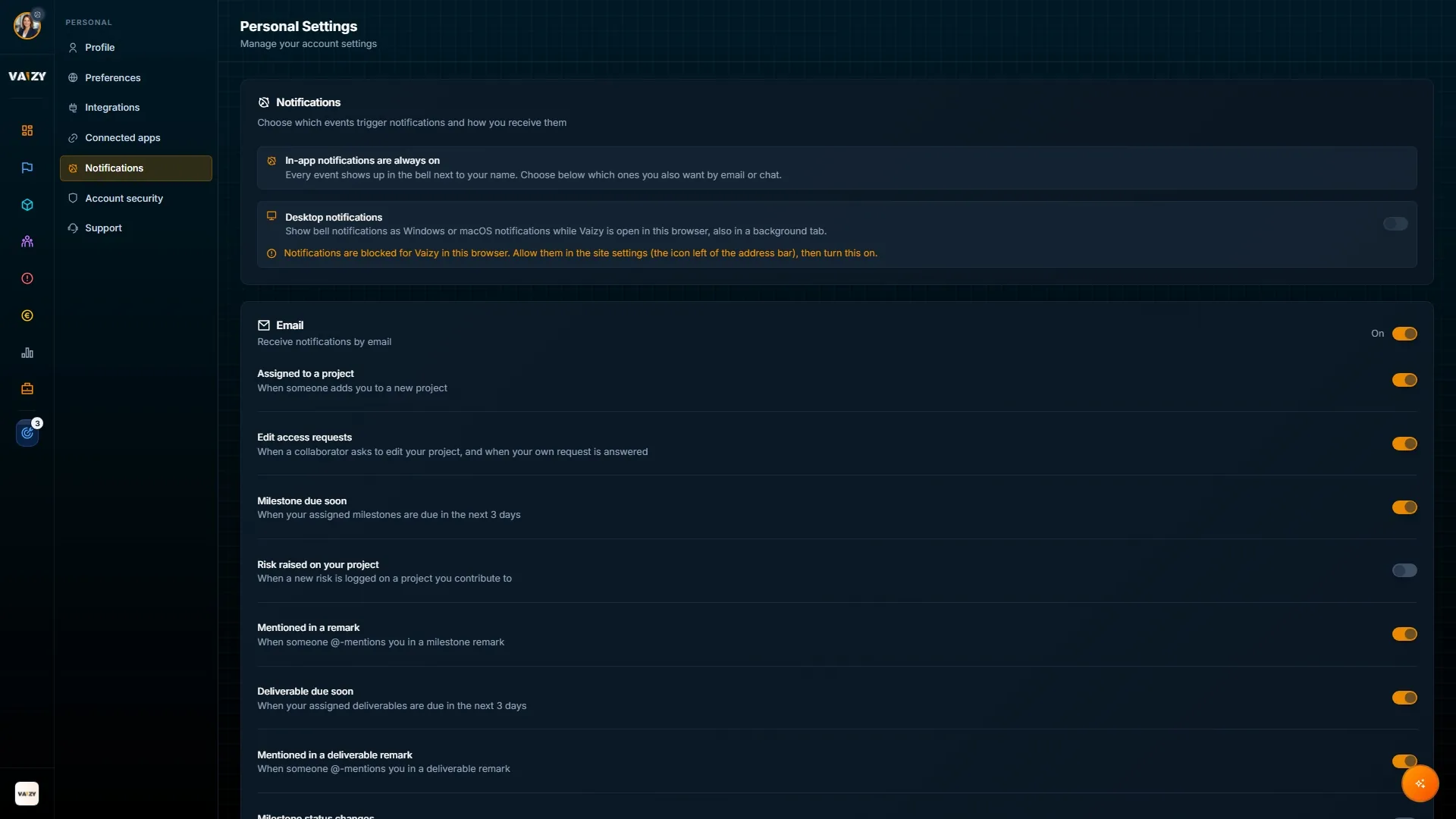
Every alert lands in the bell next to your name and can show as a Windows or macOS notification while Vaizy is open. Pick which events also reach you by email. You never get an alert about your own changes.
Alerts in the app, on your desktop and by email. You choose which events reach your inbox.
How it works
Choose who receives each project report, or switch to the monthly portfolio report.
Keep milestones, risks and status remarks up to date as you work.
Vaizy sends the PDF every month, and an alert as soon as a project or milestone turns amber or red.
Open the report or the alert to go straight to the project that needs attention.
Spend the reporting hours on the project instead
Your team keeps Vaizy up to date. Vaizy turns that into the monthly report and tells you when something drifts.